Tips for Creating a Productive Home Office Environment

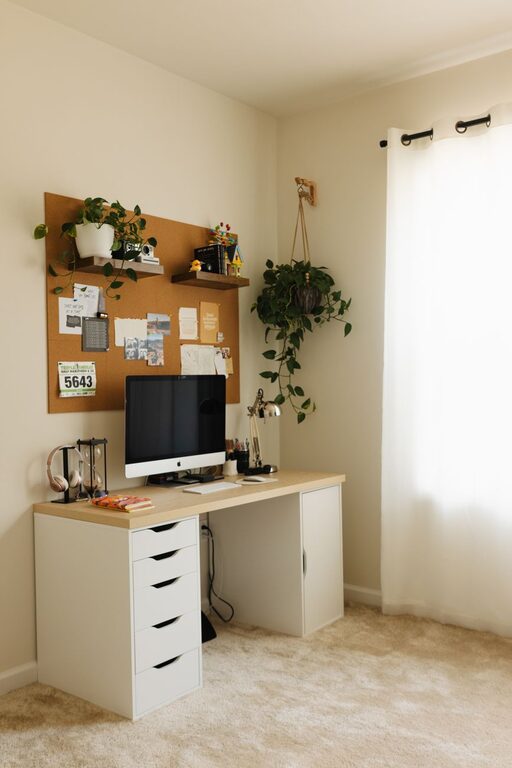
Creating a productive home office environment is essential for anyone working from home or managing tasks remotely. A well-designed workspace can improve focus, efficiency, and overall well-being. Whether you have a dedicated room or a small corner, the right setup makes a big difference. Here are some helpful tips to build a home office that supports your productivity.
Choose the Right Space
Selecting a suitable location for your home office is the first step. Ideally, pick a quiet area with minimal distractions. A separate room is best, but if that’s not possible, a corner or nook can work.
Consider Natural Light
Natural light boosts mood and reduces eye strain. Position your desk near a window if possible. Avoid placing your screen directly in front of or behind the window to prevent glare.
Control Noise Levels
Noise can disrupt concentration. Use noise-canceling headphones, a white noise machine, or add soft furnishings like rugs and curtains to absorb sound.
Invest in Ergonomic Furniture
Comfort is critical for long work hours. Ergonomic furniture reduces physical strain and increases productivity.
Ergonomic Chair
Choose a chair that supports your lower back, allows your feet to rest flat on the floor, and encourages good posture. Adjustable chairs let you customize height and backrest.
Desk Options
Select a desk large enough for your computer, paperwork, and accessories. Standing desks or adjustable-height desks offer variety and reduce sedentary time.
Organize Your Workspace
A clutter-free workspace helps you stay focused and efficient.
Declutter Regularly
Keep only essential items on your desk. Store documents and supplies in drawers or organizers.
Use Storage Solutions
Shelves, filing cabinets, and desk organizers help keep things tidy. Label storage containers for easy access.
Optimize Technology Setup
Reliable technology is the backbone of a productive home office.
Fast Internet Connection
A strong internet connection prevents delays and interruptions during virtual meetings or file sharing.
Quality Equipment
Invest in a good computer, monitor, keyboard, and mouse. Consider a second monitor for multitasking.
Cable Management
Use clips, ties, or tubing to keep cables organized and prevent tangling.
Establish a Routine
Having a consistent schedule helps create a work mindset and improves time management.
Set Work Hours
Define clear start and end times. Inform family or housemates about your schedule to minimize interruptions.
Take Regular Breaks
Step away from your desk every hour. Stretch, walk, or do light exercises to refresh your body and mind.
Personalize Your Space
Adding personal touches can boost comfort and motivation.
Decorate Wisely
Choose calming colors, plants, or artwork that inspire you without distracting.
Add Functional Accessories
Items like desk lamps, clocks, or whiteboards enhance usability and aesthetics.
Maintain Good Air Quality
Fresh air keeps you alert and healthy.
Ventilation
Open windows when possible or use air purifiers.
Indoor Plants
Plants improve air quality and add a natural element to your workspace.
Manage Lighting Effectively
Proper lighting reduces eye strain and fatigue.
Combine Ambient and Task Lighting
Use overhead lights for general illumination and desk lamps for focused work.
Adjust Screen Brightness
Match your screen brightness to your surroundings to reduce glare.
Stay Connected and Motivated
Working remotely can sometimes feel isolating.
Schedule Virtual Check-ins
Regular meetings with colleagues or clients maintain communication and accountability.
Set Goals
Daily or weekly goals help track progress and keep you motivated.
—
By following these tips, you can create a home office environment that encourages productivity, comfort, and focus. Designing a workspace tailored to your needs enables you to work efficiently and enjoy your remote work experience.