Tips for Creating a Cozy and Productive Home Office Space

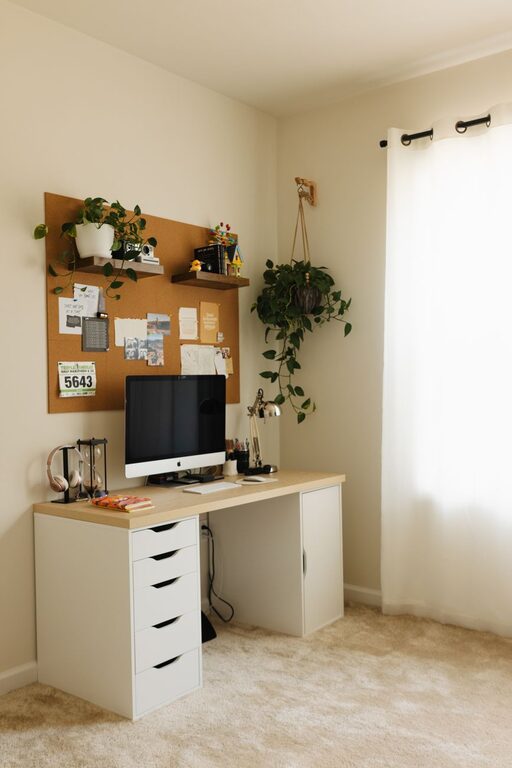
Creating a home office that feels both cozy and productive is essential for anyone working remotely or managing tasks from home. A well-designed workspace can improve focus, reduce stress, and make workdays more enjoyable. Whether you have a dedicated room or a small corner, these tips will help you set up an inviting and efficient home office.
Choose the Right Location
Selecting the best spot for your home office sets the foundation for a productive environment.
– Natural light: Position your desk near a window if possible. Natural light boosts mood and reduces eye strain. If natural light is limited, invest in good quality lamps with adjustable brightness.
– Quietness: Find a space with minimal distractions. Avoid high-traffic areas or noisy spots in your home to concentrate better.
– Space: Ensure you have enough room for your desk, chair, and storage needs. Even a small nook can work if arranged thoughtfully.
Invest in Comfortable and Functional Furniture
Comfort plays a big role in how well you work.
– Ergonomic chair: A chair with adjustable height and lumbar support helps prevent back pain and fatigue.
– Desk: Choose a desk that fits your work style. Standing desks or those with adjustable heights offer flexibility.
– Desk accessories: Use monitor stands, keyboard trays, and cable organizers to maximize comfort and keep your workspace tidy.
Organize and Declutter
An organized space helps clear your mind and enhances productivity.
– Storage solutions: Use shelves, drawers, and filing cabinets to keep important documents within reach but out of sight.
– Desk organizers: Trays, pen holders, and boxes help manage small items.
– Cable management: Use clips and ties to keep cords neat and prevent tangling or accidents.
Personalize Your Space with Cozy Touches
Giving your home office a warm, inviting feel can make working more pleasant.
– Soft textiles: Add cushions, a cozy throw blanket, or a small rug to soften the space.
– Plants: Indoor plants improve air quality and add a touch of nature, which can reduce stress.
– Artwork and photos: Display images or artwork that inspires you or brings positivity.
Control Lighting for Comfort and Productivity
Good lighting is key for reducing eye strain and setting the mood.
– Layered lighting: Combine overhead lights with task lighting like desk lamps.
– Warm vs. cool light: Use warmer lights for a cozy atmosphere during breaks and cooler lights for focus during work periods.
– Adjust brightness: Choose lights that allow dimming to suit different times of day and tasks.
Minimize Distractions
Creating boundaries around your workspace helps maintain work-life balance.
– Use headphones: Noise-canceling headphones can block background noises and help you focus.
– Set rules: Communicate with family or housemates about your working hours and space.
– Limit screen distractions: Apps that block distracting websites or notifications can improve concentration.
Incorporate Effective Technology
Reliable technology supports seamless work.
– Stable internet: Ensure your internet connection is fast and stable to avoid interruptions.
– Quality equipment: Use tools suited for your tasks, such as a good webcam, microphone, or external monitor.
– Backup solutions: Regularly back up your work with cloud storage or external drives.
Create a Routine and Maintain Your Space
Maintaining your home office is as important as setting it up.
– Daily tidying: Spend a few minutes at the end of each day clearing your desk.
– Regular deep cleaning: Keep your space dust-free and sanitized to maintain a fresh environment.
– Update décor: Refresh your space periodically to keep it motivating and inspiring.
Conclusion
Creating a cozy and productive home office is about balancing comfort with functionality. By choosing the right location, investing in ergonomic furniture, organizing efficiently, and adding personal touches, you can design a workspace that supports your best work. Remember, the goal is to foster an environment where you feel motivated, comfortable, and focused every day.