Tips for Creating a Cozy and Productive Home Workspace

Creating a home workspace that is both cozy and productive can significantly enhance your work-from-home experience. Whether you are freelancing, managing a remote team, or studying, investing time in designing a space that feels comfortable yet encourages focus can make a world of difference. Here are practical tips to help you build the perfect home workspace.
Choose the Right Location
Find a Quiet Spot
Start by selecting a corner or room in your home that is relatively quiet and free from distractions. A less-trafficked area helps minimize interruptions and allows you to concentrate better.
Consider Natural Light
Position your desk near a window if possible. Natural light boosts mood and reduces eye strain. If sunlight creates glare on your screen, consider sheer curtains or adjustable blinds.
Invest in Comfortable Furniture
Ergonomic Chair
A supportive chair that promotes good posture is one of the most important investments for a home office. Look for adjustable height, lumbar support, and comfortable cushioning.
Functional Desk
Pick a desk that suits your work style and fits your space well. Whether you prefer ample tabletop area or a compact design, make sure it accommodates your essentials comfortably.
Organize Your Workspace
Declutter Regularly
Keep your desk tidy by removing unnecessary items daily. A clutter-free space reduces distractions and creates a more inviting environment.
Smart Storage Solutions
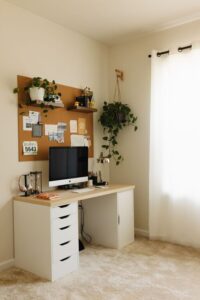
Use shelves, drawers, and organizers to keep supplies within reach but out of the way. Label containers or use clear bins for easy identification.
Personalize Your Space
Add Cozy Elements
Incorporate soft textures like a plush rug, a cozy throw, or comfortable cushions to make your workspace inviting.
Include Plants
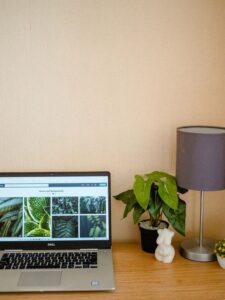
Greenery not only brightens up the room but also improves air quality and creates a calming atmosphere.
Display Inspiring Items
Hang artwork, motivational quotes, or photos that lift your spirits and keep you motivated.
Optimize Lighting for Productivity
Layer Your Lighting
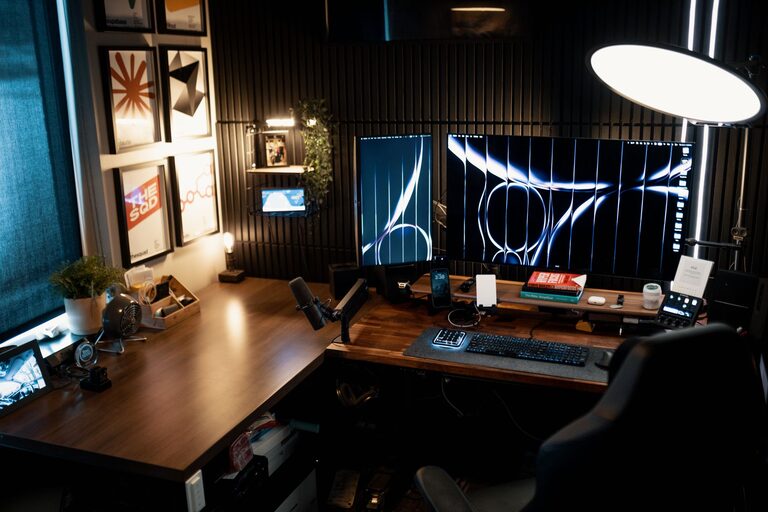
Combine ambient, task, and accent lighting for a well-lit workspace. A good desk lamp with adjustable brightness can reduce eye strain during long hours.
Use Warm Light Tones
Warm or neutral light colors create a cozy ambiance without making the space feel sterile or overly harsh.
Minimize Distractions
Control Noise Levels
Consider noise-canceling headphones or white noise machines if you can’t control external noise.
Keep Devices Organized
Set boundaries for non-work-related devices like smartphones to avoid constant interruptions. Use apps or settings that limit notifications during work hours.
Establish Boundaries and Routine
Set Work Hours
Define clear working hours to separate work time from personal time. This helps maintain a healthy work-life balance.
Create Transition Rituals
Start your workday with a routine like making coffee or tidying your desk. This signals your brain to shift into work mode.
Use Technology Wisely
Reliable Equipment
Make sure your computer, internet connection, and other devices are reliable to prevent technical frustrations.
Productivity Tools
Leverage apps for time management, project tracking, and communication to stay organized and efficient.
Keep Comfort in Mind
Temperature Control
Adjust your thermostat or use fans and heaters to maintain a comfortable temperature throughout the day.
Stay Hydrated and Take Breaks
Keep a water bottle nearby and take short breaks to stretch and rest your eyes, which boosts overall productivity and well-being.
—
Designing a home workspace that is both cozy and productive doesn’t require a major overhaul. Small thoughtful choices can create an environment where you enjoy working and perform your best. By focusing on comfort, organization, and setting boundaries, you’ll build a space that supports your success and well-being.